

SOA Calculators
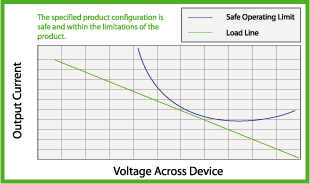
The Safe Operating Area Calculators (SOA Calculators) — used to determine how much power will be internally dissipated in a product under varied operating conditions — are currently under construction.
SOA Calculator for Laser Diode Drivers
or the
SOA Calculator for Temperature Controllers
Using your design’s input voltage, load size, ambient temperature, etc., the calculator will help you design a thermally robust and reliable system. These tools will allow you to draw the SOA curve for a Wavelength Electronics product and, optionally, to also draw a load line for your specific application to easily design your application to fall within the safe operating area. For a product that combines both laser diode driver and temperature controller, use both.
Circuit Calculators
The WTC Series Circuit Calculator automatically calculates the gain resistor values based on your thermoelectric or resistive heater currents, the PI loop configuration based on your load type, and sensor gain and bias current to optimize your sensor’s responsivity.
WTC32ND Details
The WLD Series Circuit Calculator automatically calculates the limit resistor, PD sense resistor, and LD sense resistor values based on your laser diode current limit and operating mode.
WLD33ND Details
WTCP Configuration Calculator
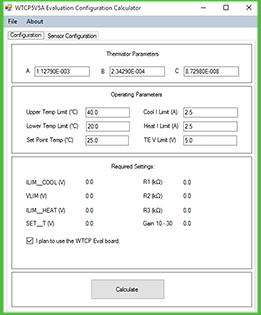
Download the Configuration Calculator for the WTCP5V5A Evaluation Board. This easy-to-use component selection calculator simplifies system design and configuration. Simply enter your sensor parameters and the operating conditions for your application and the calculator will determine the Evaluation Board settings to achieve optimal performance.
